
Walkthrough
From spreadsheet to printed label in four steps
This is the whole job, start to finish. Follow it here, or start a free trial and do it yourself — it takes about fifteen minutes with one of our sample labels.
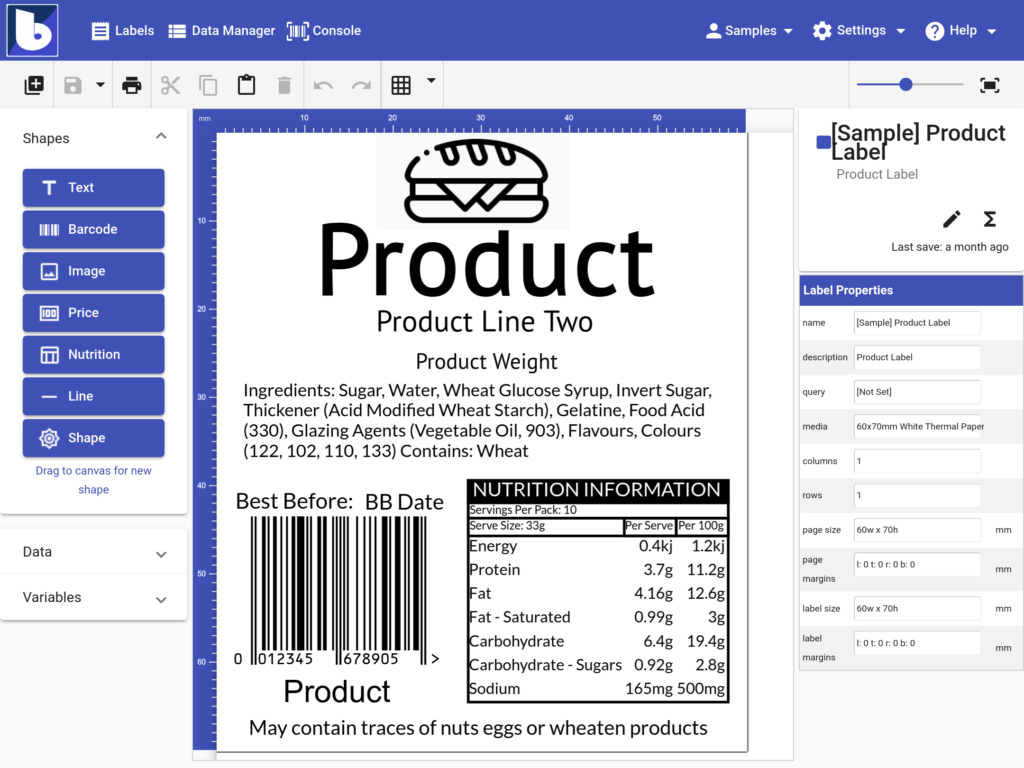
Design the label
Open the designer in your browser and drag on what the label needs.
- Text and paragraphs for names, ingredients and instructions
- Barcodes — GS1, QR, Code 128, Code 39, ITF and UPC among sixteen types
- Nutrition panels laid out automatically by the built-in wizard
- Images, shapes and pricing styles for signs and tickets
Bring in your data
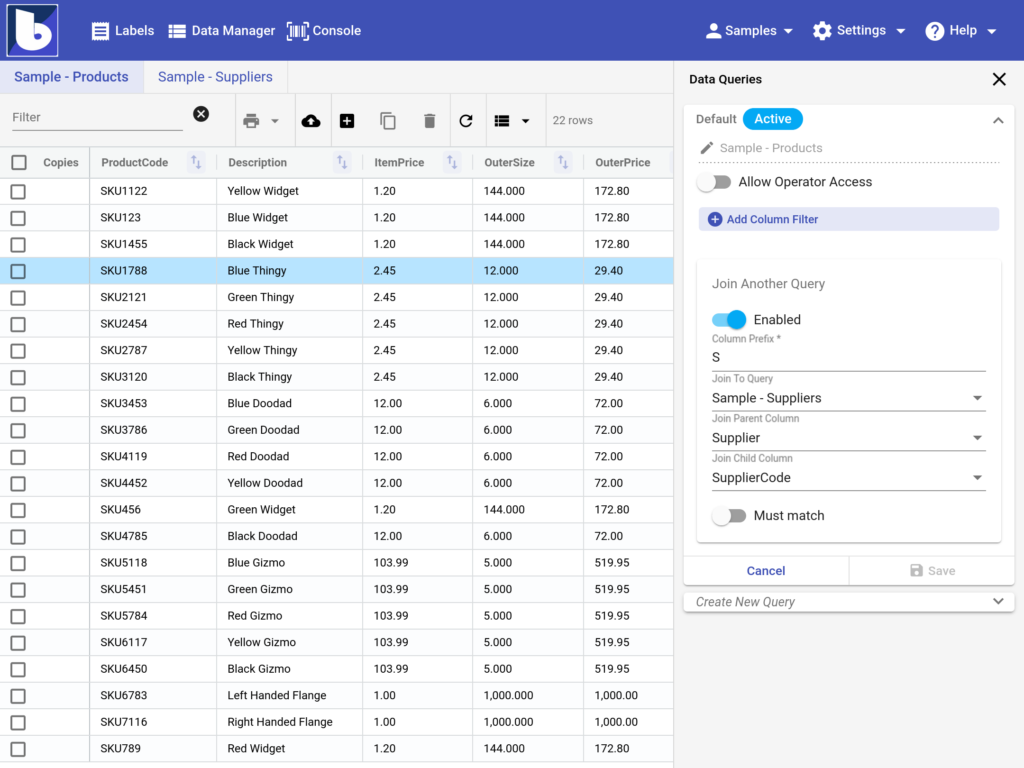
Your products already live in a spreadsheet or a database. Point barxui at them.
- Import an Excel or CSV file
- Sort, filter and join queries to build exactly the list you need
- Or let the barxui Agent sync automatically from files or Microsoft SQL Server, so the data is never stale
Link the design to the data
This is the step that removes the folder of near-identical label files.
- Connect each object on the label to a column — product name, barcode, weight, price
- Scroll the records and watch the preview change per product
- Add prompted questions so operators set batch codes or use-by dates at print time
- One design now prints every product you sell

Print it
Select the records you want and print. Two routes, depending on where the label needs to come out.
Straight to PDF
Nothing to install. Print to PDF from the browser and send it to any printer, or to a print bureau.
Direct to your printer
Install the small barxui print agent on a Windows machine and send jobs straight to a label printer on the shop floor.
Going further
Once the basics are working
Simplify it for operators
Console add-ons give shop-floor and warehouse staff a stripped-back screen: pick a product, pick a quantity, print.
Automate the printing
Automation add-ons can print the moment new data is synchronised, with nobody pressing a button.
Connect other systems
Integration add-ons exchange data with external systems, and the API lets your own software drive barxui.
Do it yourself in fifteen minutes
Start from one of our sample labels rather than a blank canvas. Fourteen days free, no payment details, and we will help with your first design if you want it.